
For fifteen years the .env file has been the most convenient lie in web development: a plaintext file full of production-grade credentials, kept safe by the single assumption that only you would ever read your own disk. That assumption is now false, and the fix is less dramatic than it sounds.
This post describes the agent behaviour, tooling and defaults as they stand in late 2026. Secret-management tools and agent permission systems both move fast — verify the specific flags and settings against current documentation before adopting them.
The gist
Stop trying to hide the .env file from your coding agent and empty it instead.
- Land on runtime injection and stop there. The file holds pointers, the real values live only in memory, and encrypting the file instead just moves the danger somewhere else.
- Treat deny rules as accident-reduction, not containment. They stop the agent opening the file; they don't stop the command that prints it.
- Your
.env.examplematters more than your lockdown. The agent needs your configuration's shape, almost never its values. - Lifetime beats location. A credential that expires in minutes turns a leak into a non-event, whatever file it was sitting in.
The file didn't change. Its readers did.
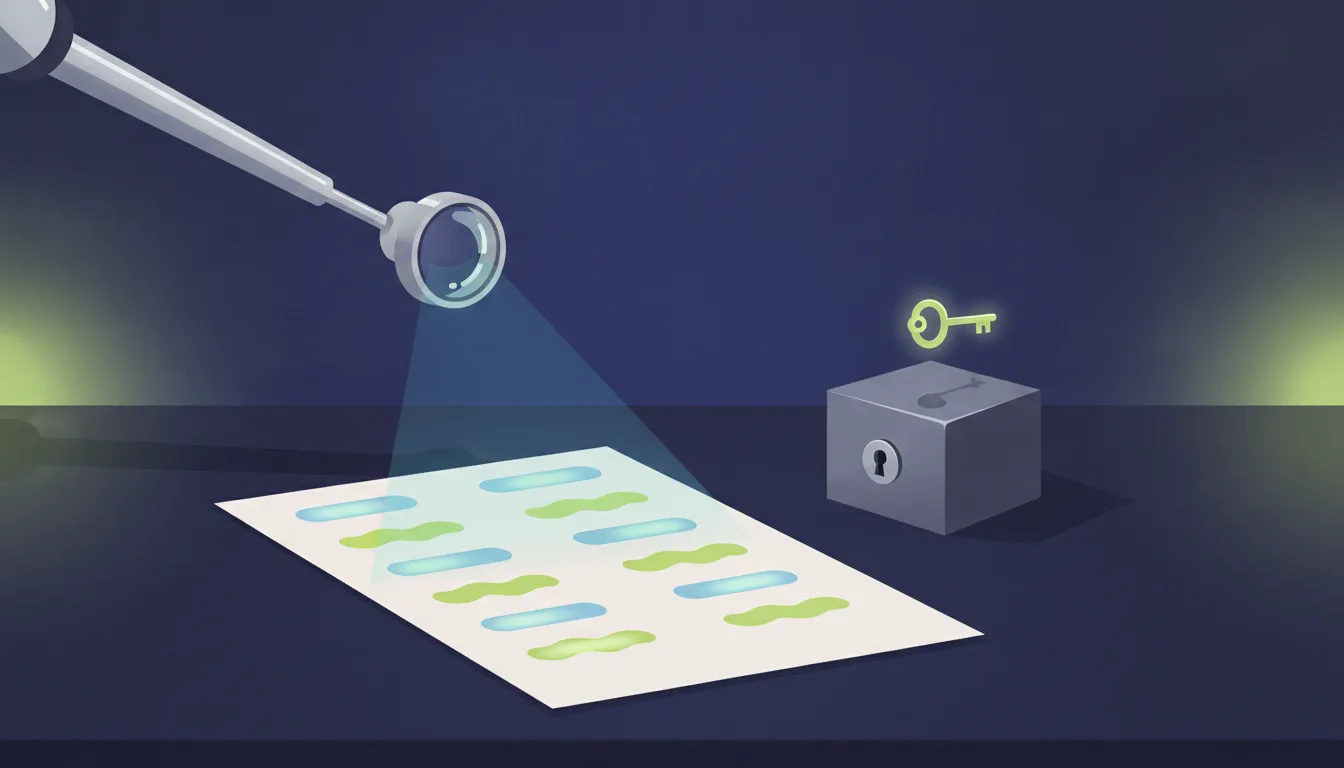
Here is the whole argument in one picture: a .env file was never secured by anything except the fact that only one process on one laptop ever opened it — and a coding agent is a second process, on a remote model, that opens everything.
Nothing about the file itself got less safe. It's the same plaintext key-value list it has always been, with the same 600 permissions and the same line in .gitignore. What changed is the population of things that read your working directory. An artificial intelligence (AI) coding agent doesn't read the files you point it at; it reads the files it decides it needs, runs the commands it decides will help, and ships whatever it finds to a model running somewhere else so it can reason about it. That is precisely the behaviour you're paying for. It's also, without any malice or bug anywhere in the chain, an exfiltration path.
The uncomfortable part is that the two things are the same feature. You cannot have an agent that understands why your application programming interface (API) calls are failing and also an agent that has never looked at your configuration. The interesting question isn't how to hide the file — it's what should be in it at all.
Four ways a .env leaks when an agent is in the room
Before changing anything, it's worth being precise about the failure modes, because they call for different fixes and only one of them is the obvious one.
The direct read is the one everybody thinks of first and the least interesting. The agent opens .env because it is genuinely trying to help, the values land in a context window, and the context window is a transcript on someone else's infrastructure. This is the path that permission rules actually block, which is why it gets all the attention — and why fixing only this one feels like more progress than it is.
The indirect read is the one that survives your permission rules. A denied Read tool call doesn't stop npm run dev from booting a server that logs its configuration at startup, or a test suite from printing a full request object with the Authorization header intact, or a stack trace from embedding a connection string. The agent asked for none of it; the value simply arrived in its context as command output. Any control that operates on "which files may be opened" misses this entirely.
The commit path is the expensive one, and it's measurable. GitGuardian's State of Secrets Sprawl 2026 found 28.65 million hardcoded secrets added to public GitHub commits during 2025, a 34% year-over-year jump, and reported that commits made with Claude Code assistance carried a 3.2% secret-leak rate against a 1.5% baseline across all public commits.[1] That gap isn't evidence that the model is careless with secrets; it is mostly evidence that more code, written faster, produces more of every kind of mistake, and that a human reviewing a fifteen-file diff notices a pasted token less reliably than a human reviewing three lines.
The injected exfiltration path is the newest and the one with an actual adversary. Simon Willison's "lethal trifecta" names the conditions: access to private data, exposure to untrusted content, and the ability to communicate externally.[2] A coding agent with your .env readable, a fetched documentation page or dependency README or issue thread in its context, and permission to run curl has all three. A large language model (LLM) cannot reliably tell your instructions from instructions embedded in text it was asked to read, so the mitigation is architectural: make sure at least one of the three circles is missing. The cheapest circle to remove, by a wide margin, is the private data one.
And all four paths are only the new ones. The old path is still wide open: in August 2024 Unit 42 documented an extortion campaign that scanned over 230 million targets, harvested more than 90,000 unique environment variables from publicly exposed .env files across 110,000 domains, and used the roughly 7,000 cloud credentials among them to escalate inside victim accounts.[3] The researchers' post-mortem named three missteps, and only the first is about the file: exposed environment files, long-lived credentials, and no least-privilege architecture.
Hold on to that second one. It's the thread that runs through everything below.
What .env was actually for
It helps to remember that the file is a workaround, not a standard — because that makes the rest of this post an act of deletion rather than migration.
The relevant rule is factor three of the Twelve-Factor App: store config in the environment. The reasoning given there is explicitly about files: environment variables are easy to change between deploys, are language- and operating-system-agnostic, and — the actual quote — "unlike config files, there is little chance of them being checked into the code repo accidentally."[4] The specification says environment. It never says file.
The .env file appeared because production platforms set real environment variables and your laptop doesn't, and typing eleven export statements before every npm run dev is miserable. So dotenv faked the environment from a file, and the fake became so ordinary that most developers now think the file is the convention. It isn't. It's local ergonomics, and it has been absorbed into the platform itself — Node.js has shipped node --env-file .env natively since v20.6.0, no dependency required.[5]
Which is the framing worth keeping: the plaintext .env is a development convenience that quietly became a credential store, and everything below is about giving it its original job back. You are not being asked to abandon a standard. You're being asked to stop storing live production credentials in a scratch file.
The ladder
There are five rungs between "a plaintext file full of live keys" and "no secret on your disk at all". They are cumulative, each one genuinely more work than the last, and most teams should stop at rung four.
| Rung | How the app gets its values | Live secret in a file on disk | Blast radius if that file escapes | What it costs you |
|---|---|---|---|---|
| 1 · Plaintext, gitignored | dotenv or --env-file reads .env | Nothing. This is the default. | ||
| 2 · Plaintext + guardrails | Same, plus agent deny rules and a sandbox | An afternoon of configuration | ||
| 3 · Encrypted at rest | dotenvx or SOPS decrypts on load | A key-distribution problem you now own | ||
| 4 · Runtime injection | op run, Doppler, Infisical, Vault inject at launch | A dependency, a login, and per-developer access setup | ||
| 5 · Workload identity | The runtime proves who it is; the cloud mints a short-lived token | Real identity-provider work; not available for every third-party API |
Four notes on where the rungs actually bite.
Rung two is necessary and insufficient, and it's important to hold both halves. Claude Code's own settings documentation gives the deny rule as its worked example of stopping the agent reading a sensitive file:[6]
{
  "$schema": "https://json.schemastore.org/claude-code-settings.json",
  "permissions": {
    "deny": [
      "Read(./.env)",
      "Read(./.env.*)"
    ]
  }
}
That closes leak path one cleanly. It does nothing about path two, because a deny rule on the Read tool is not a deny rule on every command that happens to print an environment variable. Filesystem and network isolation at the sandbox layer — Claude Code's denyRead sandbox rules and network isolation — reach further, because they're enforced by the operating system rather than by a list the harness consults. Treat rung two as raising the cost of an accident, not as containment.
Rung three moves the problem rather than solving it, which is sometimes exactly right. dotenvx encrypts each value in place with an elliptic-curve (secp256k1) keypair, leaving the variable names readable and the values as ciphertext; the public key stays in the committed .env, the private key goes in .env.keys, which is what you gitignore instead.[7] SOPS — Secrets OPerationS, now a Cloud Native Computing Foundation (CNCF) sandbox project — does the same over YAML Ain't Markup Language (YAML), JavaScript Object Notation (JSON) and .env files, wrapping a per-file data key with Amazon Web Services (AWS) Key Management Service (KMS), Google Cloud KMS, Azure Key Vault, age or Pretty Good Privacy (PGP). Both give you a committable, diffable secrets file — genuinely valuable when your deployment pipeline reads configuration straight out of the repository — but they differ on the part that matters here. dotenvx, and SOPS with an age or PGP key, leave a private key on the developer's machine: an agent that can read .env.keys is an agent that can read your secrets, and you've reduced the number of dangerous files from one to one. SOPS backed by a cloud key service is a different animal — the master key never leaves the service, decryption is an authenticated call your provider logs, and revoking a developer is a permissions change rather than a re-encryption. That puts it closer to rung four than to rung three.
Rung four is the one that changes the shape of the problem. The idea is simpler than the tooling makes it look. Your application doesn't change at all — it still reads process.env.STRIPE_SECRET_KEY exactly as it does today. What changes is who sets that variable: the real values live in a vault, and instead of starting the app directly you start it through a small wrapper command that fetches them into the environment of that one process. When the process exits, the values are gone. npm run dev becomes <wrapper> -- npm run dev, and that is the whole trick.
With 1Password's op run, your .env stops containing secrets and starts containing pointers to them, and your dev script runs through the wrapper:
# .env — safe to read, safe to commit, useless to an attacker
DB_USER="op://app-dev/db/user"
DB_PASSWORD="op://app-dev/db/password"
STRIPE_SECRET_KEY="op://app-dev/stripe/secret-key"
{
  "scripts": {
    "dev": "op run --env-file=.env -- next dev"
  }
}
Running npm run dev now resolves each op:// address in memory, for the life of that one process. With the desktop app installed, 1Password asks for Touch ID or your password before unlocking the vault, which puts a human in the loop for the first access, and any secret the process prints to the terminal is masked by default.
Doppler and Infisical have the same shape, except the values live in their dashboard and there's no .env in the repo at all:
# Doppler: link this folder to a project once, then launch through it
doppler setup
doppler run -- npm run dev

# Infisical: the same idea, open source and self-hostable
infisical init
infisical run --env=dev -- npm run dev
If you'd rather not add a vendor, your operating system already has a vault. On macOS the keychain does the job; it's just clunkier to share with a team:
# Once: store the value in the keychain
security add-generic-password -a "$USER" -s myapp-stripe-test -w 'sk_test_…'
#!/bin/sh
# scripts/dev.sh — read the value at launch, never write it to a file
export STRIPE_SECRET_KEY="$(security find-generic-password -a "$USER" -s myapp-stripe-test -w)"
exec npm run dev
None of this is exotic. Every hosting platform already injects at runtime — dashboard variables on Vercel or Netlify, ${{ secrets.STRIPE_SECRET_KEY }} in GitHub Actions, Secrets exposed as environment variables in Kubernetes — and none of them keeps a .env on the server. Rung four brings that production habit back to your laptop.
Doppler, Infisical and HashiCorp Vault differ in hosting model and price but not in shape. The property that matters is the same in all of them: there is no moment at which a plaintext credential exists in a file. The agent can read that .env all day. It can commit it. It can paste it into an issue. The values are not there, access to them is logged, and revoking a departing developer is one click rather than a rotation of every key they ever held.
Which one to pick depends mostly on who you are:
| You are… | Use |
|---|---|
| Solo, already paying for 1Password | op run |
| A team that wants one shared source of truth | Doppler, or Infisical if you want open source or self-hosting |
| Solo, no budget, on macOS | The keychain and a dev.sh script |
| Already running HashiCorp Vault | Vault, usually through Vault Agent — the heaviest setup here |
Two traps undo all of it. Injection protects the disk, not the running process: inside the wrapper the values are real environment variables, so a command like printenv run through the wrapper will show them. Output masking softens that, and test-mode keys on your laptop make it harmless. And don't reach for the export-to-file commands: rendering the resolved values into a .env — op inject writing a filled-in template to disk, or doppler secrets download --no-file --format=env > .env — rebuilds the exact plaintext file you just got rid of.
Rung five removes the secret entirely, where the platform allows it. GitHub Actions workflows can exchange an OpenID Connect (OIDC) token for cloud credentials directly, with no long-lived key stored as a repository secret at all: the token is minted per job, scoped, auditable and expires on its own.[8] This is the correct answer for anything talking to AWS, Azure or Google Cloud, where the provider's own identity and access management (IAM) system can vouch for the workload directly, and it is simply unavailable for the third-party API that still issues you a static key and nothing else. Most real systems live at rung four with a rung-five core.
Giving the agent what it needs without the secrets
Everything so far has been about taking things away, which is only half the job — an agent that can't run your application is a productivity loss you'll pay for daily, and a control you pay for daily is a control you eventually disable. So the useful move is to notice that the agent and the attacker want different things.
The agent almost always needs the schema, not the values. It needs to know that STRIPE_WEBHOOK_SECRET exists, that it starts with whsec_, that it's required in production and optional in development, and which module reads it. None of that is secret. All of it lives in .env.example — which most repositories treat as an afterthought and which is, in an agentic workflow, the single highest-leverage file in the project:
# .env.example — committed. The agent's map of your configuration.

# Postgres connection string. Local dev: use `docker compose up db` first.
DATABASE_URL="postgresql://app:app@localhost:5432/app_dev"

# Stripe. Use a test-mode key locally — they start with sk_test_ and
# cannot move real money, so a leak is an inconvenience, not an incident.
STRIPE_SECRET_KEY="sk_test_xxxxxxxxxxxxxxxxxxxxxxxx"

# Webhook signing secret from `stripe listen --forward-to localhost:3000`.
# Optional locally; required in staging and production.
STRIPE_WEBHOOK_SECRET="whsec_xxxxxxxxxxxxxxxxxxxxxxxx"
Write it as documentation, not as a list of blanks. Every comment you add there is a question the agent doesn't have to answer by reading .env.
Let the agent run the injector rather than read the values. This is the productivity unlock hiding inside rung four. If your dev script already runs through the wrapper, the agent can start the server, hit the endpoint, read the error and fix the bug — a full debugging loop — while every credential lives only inside a child process it has no reason to inspect. You didn't restrict what it can do; you restricted what it can see, and those were never the same list.
Prefer secrets that can't hurt you. A test-mode key, a local emulator, a seeded throwaway database: each one converts a guarded value into an ordinary one. The most reliable way to stop worrying about a credential in an agent's context window is for that credential to be worthless outside your laptop. Pushing local development toward test-mode everything does more for this problem than any permission rule, and it makes the agent more capable rather than less.
Don't let the Model Context Protocol (MCP) undo the work. Agent tool configuration is the newest place credentials accumulate, and .mcp.json is usually committed. Claude Code supports ${VAR} expansion in a server's command, args, env, url and headers fields precisely so the committed file holds references rather than values:[9]
{
  "mcpServers": {
    "github": {
      "command": "npx",
      "args": ["-y", "@modelcontextprotocol/server-github"],
      "env": {
        "GITHUB_PERSONAL_ACCESS_TOKEN": "${GITHUB_TOKEN}"
      }
    }
  }
}
The failure mode here is mundane and common: someone pastes the literal token in to get the server working, it starts working, and nobody looks at that file again. Check .mcp.json in review the way you'd check a .env — because unlike .env, it isn't gitignored.
Assume it leaked
Every control above reduces probability. None of them reaches zero, and the honest planning assumption is that one of your keys will end up somewhere you didn't intend. What separates an incident from a footnote is how fast the key stops working.
The data on this is bleak. GitGuardian tracked credentials it had validated as active in 2022 and found 64% of them still valid in January 2026 — years after exposure, most leaked secrets were simply never rotated.[1] Set against Unit 42's finding that long-lived credentials were one of the three enabling conditions in a campaign that scanned 230 million targets, the priority is clear: a secret's lifetime is a more powerful lever than its storage location.
Three things earn their keep:
- Block the commit before it happens. GitHub enables secret scanning and push protection by default on new public repositories owned by personal accounts, and push protection at the user level for pushes to public repositories.[10] It's free, it costs one opt-in, and it catches the exact mistake that a fast-moving agent diff makes most often. Add gitleaks or TruffleHog as a pre-commit hook so the block happens locally, before the bad commit exists at all.
- Make rotation boring. If rotating a key is a documented ten-minute task, you'll do it on suspicion. If it's an undocumented afternoon involving three teams, you'll talk yourself out of it — and the 64% figure is what talking yourself out of it looks like at scale. Practise it before you need it.
- Shorten lifetimes until rotation stops being an event. This is rung five arriving through the back door. A token that expires in fifteen minutes converts a leak from a breach into a non-event, and it does so without anyone having to notice the leak.
The checklist
Working from cheapest to most involved, and stopping wherever your threat model says to:
- Delete every live production credential from your local
.envtoday. Replace them with test-mode keys or local emulators. This single step resolves most of the problem for most developers. - Make
.env.examplecomplete and well-commented. It's the agent's map, it's onboarding documentation, and it costs nothing to expose. - Add deny rules for
.envand friends to your agent's settings, and turn on sandboxing if your agent supports it — remembering that rules stop the direct read, and only the sandbox reaches the indirect one. - Audit
.mcp.jsonand any agent configuration file that isn't gitignored for pasted tokens. Convert them to${VAR}references. - Turn on push protection, and add a secret-scanning pre-commit hook so the block happens locally.
- Move the remaining real secrets to runtime injection —
op run, Doppler, Infisical, Vault — so the file on disk holds references, and change your dev scripts to run through the injector. - Replace static cloud keys with OIDC or workload identity wherever the provider supports it, starting with continuous integration and continuous deployment (CI/CD), which is usually the easiest win and holds the most dangerous keys.
- Write down how to rotate each remaining long-lived credential, and time yourself doing it once.
None of this is new security thinking. Runtime injection, short-lived credentials and least privilege were the right answers a decade ago, and the reason most of us skipped them is that a plaintext file on a laptop felt like a tolerable risk when the laptop had exactly one reader. Coding agents didn't create this problem; they removed the last excuse for not fixing it.
References
- GitGuardian, The State of Secrets Sprawl 2026
- Simon Willison, The lethal trifecta for AI agents: private data, untrusted content, and external communication
- Unit 42, Palo Alto Networks, Leaked Environment Variables Allow Large-Scale Extortion Operation in Cloud Environments
- Adam Wiggins, The Twelve-Factor App — III. Config
- Dotenv, Node.js 20.6.0 includes built-in support for .env files
- Anthropic, Claude Code — Settings files and precedence
- Dotenvx, Quickstart — Encryption
- GitHub, About security hardening with OpenID Connect
- Anthropic, Claude Code — Environment variable expansion in
.mcp.json - GitHub Changelog, Secret scanning and push protection are enabled by default on new public repositories