
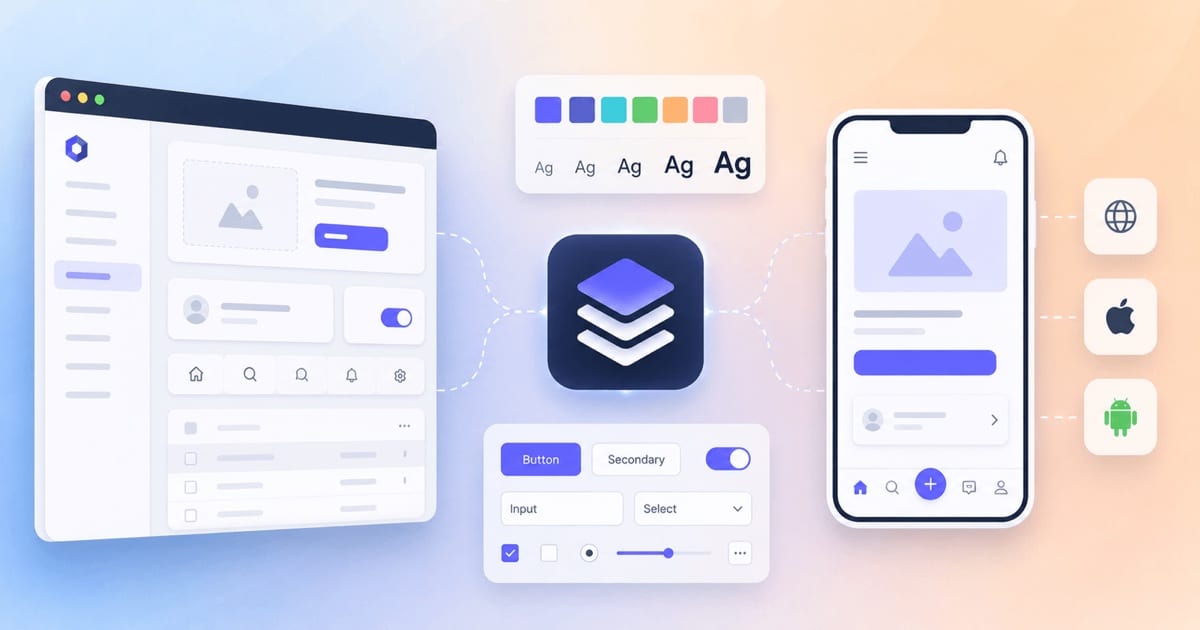
A design system that starts on the web rarely fits mobile directly. This post shows what still works on mobile, what doesn't, and how to keep one source of truth (one place that stores each design decision) for both.
The tools and versions in this post reflect the state in 2026. Tools in this area change quickly, so check current details before you choose one.
The gist
Start a design system with tokens, not components, and decide how much web and mobile share before you build anything for mobile.
- Build a full system only when you have the scale for it. Several products, platforms or teams make it worth the cost. One small team on one platform can manage with a shared theme file and a folder of components.
- Store every design decision once, as a token. A token is a named value, like
color.brand.primary, kept in one file that a tool turns into CSS for the web and Swift or Kotlin code for mobile. Put tokens in layers, so a color's role is separate from the raw color — then dark mode is one swap. - Choose how much web and mobile share. On React Native, one shared set of components gives you the most consistency. With fully native apps (SwiftUI, Compose), share only the tokens and build each platform's components separately, so each app feels native.
- Add automation only when the design stops changing every day. Until then, keep the values in one place and update each platform by hand.
- Measure success by adoption. A system teams don't use costs money and doesn't stop the drift. Give it an owner and a clear way for teams to propose changes.
If you've worked on more than one frontend project in the same company, you have probably seen the problem a design system solves. Two teams build a "primary button." The buttons look almost the same, but not quite. One has border-radius: 6px, the other 8px. One uses #0057FF, the other #0066CC, because someone copied the color by eye from a screenshot. Now repeat that for every color, spacing value, input, modal and toast, on web and on mobile. The result is drift: many small differences that add up to a product that works, but feels like strangers built it without ever talking to each other.
A design system is the set of shared rules (and the code) that stops this from happening. This post covers the whole thing: the problem, why to invest, what a real project looks like on disk, the tools, and the key ideas. It pays special attention to the hardest part, going from web to mobile.
What problem does a design system solve?
The easy answer is "consistency," but that's only part of it. A design system solves four problems at once:
1. Visual and behavioral drift. Without one source of truth, every design decision is made again, slightly differently, in every place it's used. A design system makes each decision once and shares it everywhere.
2. Wasted effort. Every team that builds its own date picker, dropdown or form field from scratch repeats work another team already did. The cost doesn't stop at the first build. Each copy must be kept accessible, tested and on-brand (matching the brand's look) for as long as it exists. With five date pickers, you pay that maintenance five times.
3. The design–development gap. Designers work in Figma; developers work in code. Over time, the two versions slowly stop matching: a button's hover state in the design file is no longer the one in production. A good design system closes this gap, because design and code both read the same underlying decisions.
4. Inconsistency across platforms. This problem gets much bigger when you add mobile. A user who moves from your website to your iOS app to your Android app expects the same brand, the same way of interacting, the same feel. If three separate codebases each define their own styles, the user won't get it.
A useful way to think about it: a design system is a shared vocabulary, plus as much shared implementation as your platforms allow. The vocabulary (names, patterns, guidelines) can be the same on every platform, even when the code is different. A PrimaryButton in React, one in SwiftUI and one in Jetpack Compose can share a name, an application programming interface (API) shape (the props it accepts) and the same design values. Underneath, they are three completely different pieces of code.
Why you should use one (and when you shouldn't)
The honest answer to "should I use a design system?" is: it depends on scale (how many products, platforms and teams you have).
You should invest when you have:
- multiple products or platforms
- more than a couple of teams working on the user interface (UI)
- a need for theming: dark mode, white-labeling (selling the same product under other companies' brands) or multiple brands
- a product you expect to keep growing for years
In those cases the benefits are real:
- faster delivery: change something once and it updates everywhere
- fewer bugs: one well-tested component instead of many quick, one-off ones
- a stronger brand identity
- much cheaper accessibility and theming, because you solve them in one place
You probably shouldn't build a full system if you're a solo developer, or a single small team with one product on one platform that doesn't change much. A shared theme.ts file and a folder of components is already a small design system, and it may be all you need. The extra machinery (build automation, rules for who decides what, and versioning) costs time to run. It only pays off when the coordination work it saves is bigger than that cost. Building it too early is a common way to spend months on infrastructure nobody needs yet.
A good rule of thumb: if your design decisions still change every day, don't build automation yet. Keep your values in one place and update each platform by hand until they settle down. Automate once the changes slow down.
The core concept: design tokens
If you learn one thing from this post, learn tokens. They are the smallest building block of a cross-platform design system.
A design token is a named design decision, stored in a format that doesn't belong to any one platform — usually JSON (JavaScript Object Notation). Instead of #0057FF copied into a hundred files, you define color.brand.primary once. The value lives in one place, and every platform imports a version of it that a tool generates.
Tokens matter most on mobile because each platform uses different tools and languages. A web dev writes color: var(--color-brand-primary) in CSS (Cascading Style Sheets). A native iOS dev needs a Swift constant. A native Android dev needs a Kotlin value or an XML (Extensible Markup Language) resource. React Native needs a JavaScript (JS) object. With tokens, you write the decision once, and a tool transforms it into each of those formats automatically. A brand color change becomes one edit and one automatic build. Without tokens, it's a release coordinated across several repositories, with plenty of room for a typo.
The three-tier token model
Mature systems put tokens in layers, so that the meaning of a value stays separate from the raw value itself:
| Tier | What it is | Example | Who uses it |
|---|---|---|---|
| Global (primitive) | Raw values with no meaning attached — your color palette and spacing scale | blue.500 = #0057FF, space.4 = 16px | Alias tokens |
| Alias (semantic) | Decisions that point to primitives by purpose | color.action.primary → blue.500 | Components |
| Component | The most specific layer, used by one component only | button.primary.background → color.action.primary | A single component |
The point of the layers: you can change the look of the whole product by repointing aliases (making them point to different primitives), without touching a single component. Dark mode becomes "swap the semantic layer," not "search every file for every color." The layers also make the intent clear: color.action.primary tells you why a value is used, while blue.500 only tells you what it is.
The tokens pipeline
The tools for this have mostly settled on a standard set:
- Style Dictionary (open source, created at Amazon and now maintained together with Tokens Studio) does most of the work. It reads token JSON and turns it into CSS variables, Swift, Kotlin, JS, a Tailwind config — whatever your platforms need.
- Tokens Studio (formerly Figma Tokens) manages tokens on the design side, so designers edit the same source of truth that developers build from.
- The W3C (World Wide Web Consortium) Design Tokens Community Group (DTCG) format is an open, vendor-neutral JSON format for tokens. Its first stable version (2025.10) came out in October 2025. Writing tokens in an open format keeps you free to change tools, instead of locking you into one vendor's own token storage.
A typical flow: someone writes the tokens (in Figma with Tokens Studio, or directly in JSON) and commits them to git. A continuous-integration (CI) job, an automatic build that runs on every change, runs Style Dictionary. It generates the files each platform needs, and these are published as packages: npm for web and React Native, and each platform's own package system for fully native apps. One edit, one pipeline run, and every platform is updated.
One warning: a tokens pipeline is not free to run. The main cost isn't the first setup. It's the constant work afterwards, each time you add a new shadow type, support a new dark-mode variant or connect a new tool. Give the pipeline an owner; don't expect it to run by itself.
What a design system project looks like
Most modern design systems that cover web and mobile live in a monorepo (one repository that holds many packages), because the whole point is to share code between packages that would otherwise drift apart. Here is a typical structure. It's based on React and React Native, since that's the most common cross-platform path in the JavaScript world:
design-system/
├── packages/
│   ├── tokens/            # JSON source + Style Dictionary config
│   │   ├── src/           # global / semantic / component token JSON
│   │   └── build/         # generated: css vars, ts, native outputs
│   ├── core/              # logic, types and hooks shared by all platforms
│   ├── ui-web/            # React components (web)
│   ├── ui-native/         # React Native components
│   ├── icons/             # SVG source + generated components
│   └── themes/            # light / dark / brand theme definitions
├── apps/
│   ├── docs/              # documentation site (often built with Storybook)
│   └── playground/        # sandbox app for manual testing
├── .storybook/            # component workshop config
└── package.json           # workspaces + shared tooling
The key architectural idea: move as much code as possible out of the platform-specific packages. Types, prop shapes, state logic and hooks (how it behaves) can be shared. Only the rendering (how it looks and is laid out) should be different on each platform. A well-designed accordion, for example, shares its open/close hook, its item types and its tokens between web and native. It only splits at the layer that actually draws it.
Besides the code, a real system ships three things that aren't code:
- Documentation — not just tables of props, but guidelines: when to use this component, when not to, accessibility notes, rules for the text inside it. Generate the mechanical parts automatically (prop tables from types) and keep human writing for decisions.
- Governance — who owns the system, how people propose and review changes, how others can contribute, and how breaking changes are announced. This is what keeps a system alive after its first year.
- A changelog and versioning policy — teams using the system need to trust that an upgrade won't break their code without warning.
The tech stack
There's no single standard stack, but here are the main options today, layer by layer.
Tokens & pipeline: Style Dictionary to transform tokens; Tokens Studio to edit them on the design side; DTCG JSON as the shared format.
Web component layer: Usually you build on a library of headless components and style them with your tokens. Headless (or unstyled) components give you behavior and accessibility, but no styling: the look comes from your tokens. This separates the part that's hardest to get right (interaction and accessibility) from the part you want full control over (the visuals). Radix UI and React Aria are the best-known ones. They handle focus management, keyboard navigation and ARIA (Accessible Rich Internet Applications — the roles and attributes that assistive technology, such as screen readers, relies on), so you don't have to rebuild a combobox's accessibility from scratch. shadcn/ui made the "copy the component into your repo and own it" approach popular, on top of Radix. If you'd rather adopt a ready-made system than build one, MUI, Ant Design and enterprise systems like IBM Carbon, GitHub Primer or Microsoft's Fluent 2 give you a full set of components to customize with your tokens.
Styling: CSS variables are the natural way to use web tokens while the page runs. Beyond that, choose what you like: CSS Modules, Sass, Tailwind (with a config generated from your tokens), or CSS-in-JS. On a Vite + CSS Modules + Sass stack, generating CSS variables with Style Dictionary and reading them from your modules is a simple fit.
Component workshop & docs: Storybook is the standard tool for building components in isolation, and most documentation sites are built on it. It runs on Vite and supports React Native Web, so your web components and your React Native components (rendered in the browser) fit in one Storybook. To see stories on a real phone, there is a separate on-device Storybook for React Native (@storybook/react-native), which runs inside an app and works with Expo. You can share the same story files between the two, but you run two Storybooks.
Testing: unit and interaction tests with Vitest and Testing Library; visual regression testing (comparing screenshots before and after a change, with Chromatic, Percy or Playwright) to catch small pixel changes that unit tests miss — important for a system whose whole job is visual consistency; and accessibility checks (axe) that run in CI.
The bridge from web to mobile — the most interesting part:
- React Native (RN) + React Native Web let you write components once and render them as native views on mobile and as DOM (Document Object Model, the page's tree of elements) on the web. Most JavaScript cross-platform systems are built on them.
- Tamagui is currently the strongest option for a truly unified React Native + web design system. It's a style library with an optimizing compiler: at build time, it flattens components and, on the web, extracts atomic CSS (small, single-purpose classes). This means less styling work while the app runs, so it renders faster, and one component definition is shared across iOS, Android and web. It has typed style props, a built-in theming and token system, and plugins for Vite, Metro, Webpack and Next. The downside: it takes longer to learn and can be hard to configure (its compiler and the way React Native resolves dependencies cause real problems).
- Alternatives in this space: gluestack-ui (utility-first: you style with many small utility classes), NativeWind (Tailwind for React Native), and Shopify Restyle (a type-safe theming engine you build your own components on).
- Bit is another approach: it manages and shares individual components as versioned units across React and React Native projects.
If your organization builds fully native apps (SwiftUI on iOS, Compose on Android) instead of React Native — the two native stacks described in The web developer's map to native iOS and Android — you share at the token layer, not the component layer. You share names, APIs, guidelines and design values, but each platform builds its own components. Large systems like Fluent 2 and Salesforce Lightning work this way: shared semantic tokens, and separate components on each platform that follow that operating system's conventions (Material Design 3 on Android, Apple's Human Interface Guidelines on iOS).
This brings us to the central strategic decision for web-to-mobile: how much do you share, and where do you draw the line?
- One shared component tree (Tamagui style) gives the most consistency and the least duplicate work. But it ties your platforms together and can go against each platform's native conventions.
- Sharing only tokens, with separate native components, respects each platform's habits and gives teams independence. The cost: you build each component three times.
Neither is wrong. It depends on what you value more: the same experience on every platform, or a fully native feel on each one.
| Sharing strategy | Consistency across platforms | Native feel | Duplicate work | Platforms tied together |
|---|---|---|---|---|
| One shared component tree (Tamagui / React Native Web) | ||||
| Shared tokens only + native components (SwiftUI / Compose) |
Other key ideas, briefly
A few more ideas come up all the time and are worth defining clearly. Some you've already met; those get a one-line reminder.
Atomic Design. Brad Frost's way of thinking about how a UI is built from parts: atoms (button, input) → molecules (a labeled input) → organisms (a form) → templates → pages. It helps you decide how big each component should be. It isn't a rule to follow literally, but you'll see its words everywhere.
Headless components. As in the web component layer: behavior and accessibility with no styling, so the look comes from your tokens.
Theming. Changing the look without changing the structure — dark mode, brand variants, high contrast. The semantic token layer is what makes it possible. If theming feels hard, your tokens probably aren't layered properly.
Component API design. A component's props are a public contract. Prefer a small API built from parts that combine (compound components — <Select><Select.Item/></Select>) over a huge list of props. Once teams depend on your component, changing its API breaks their code. So design it like a library, because it is one.
Accessibility (a11y, short for the 11 letters between "a" and "y"). A design system is the best place to solve accessibility. You fix keyboard navigation, focus management, ARIA roles and contrast once, and every team using the system gets the fix. This is one of the strongest reasons to have a system: accessibility stops depending on extra effort in each feature and becomes the default.
Visual regression testing. The screenshot tests from the testing layer. They catch bugs no assertion would, like "the shadow changed by 1px in dark mode."
Versioning. Publish your packages with semantic versioning (semver: major.minor.patch) and follow it strictly. A breaking change gets a new major version and a migration note, so teams can upgrade without fear.
Governance & adoption. The most common reason a design system dies isn't bad code — it's that teams don't adopt it. Teams won't use a system they don't trust or can't influence. Governance is what builds that trust: clear ownership, a real way to contribute, backward compatibility, and involving the teams that use the system in the roadmap. A beautiful system nobody uses is worse than no system: you pay to maintain it and you still live with drift.
Design–code parity. The goal everyone is working towards: the components in the design tool and in production use the same tokens and behave the same way. Some design tools are built on real code to get there, but even without special tools, a shared token source gets you most of the way.
How to adopt one
If you're starting from an existing product (the normal case), don't try to build everything before you ship anything. An order that works:
- Audit what you have: list the colors, spacing, text styles and components already in use. You'll find the drift, and that gives the whole project its reason.
- Extract tokens first. Move your primitive and semantic values into a token source before you touch components. Everything else is built on tokens.
- Build a few high-value components — the button, the input and whatever you use most — on top of the tokens, in Storybook. Prove the approach works before you scale it.
- Add the pipeline once real teams use the system, so token changes reach them automatically.
- Add governance and docs as adoption grows and more teams contribute.
- Bring in mobile on purpose: choose your sharing strategy (one shared component tree, or shared tokens only) based on whether you use React Native or fully native apps.
Start small, ship early, and grow when real teams need more. A design system is a product whose customers are inside your company — measure success by adoption, not by how complete it is.
Common pitfalls
- Too many tokens. Creating a token for every possible value means you spend more time managing tokens than designing. Tokens should store decisions, not every possible number.
- No naming convention. Without consistent names, nobody can find the right token or trust it. Agree on a pattern early (
category.property.variant.state). - Building the machinery too early. A pipeline and governance for a system with two components and one team using it is pure overhead.
- Design–code drift. As soon as the design tool and the code stop matching, teams lose trust and work around the system. Keep both pointed at the same tokens.
- Assuming adoption will just happen. It won't. If teams aren't using the system, it is failing, however good the code is.
The one-paragraph summary
A design system solves four problems — drift, duplicated effort, the gap between design and code, and inconsistency across platforms — by making each design decision once and sharing it everywhere. Its smallest building block is the design token: a value stored in a platform-neutral format, layered into global, semantic and component tiers, and turned by tools like Style Dictionary into whatever each platform needs. On top of tokens you build accessible, themeable components. You develop them in Storybook, test them for visual regression, version them like a library, and keep the system alive through governance and adoption more than through code. Going from web to mobile forces one central decision: share one component tree (Tamagui / React Native Web) for the most consistency, or share only tokens and build natively (SwiftUI / Compose) for the most native feel. Start with tokens, ship a few components early, and grow the system when real teams need it, instead of building all the machinery first.
References
- Design Tokens Community Group — W3C — the group standardizing the design token format across tools.
- Storybook — the frontend workshop for building and documenting components in isolation.
- Material Design 3 — Google's design system and guidelines for Android and beyond.
- Human Interface Guidelines — Apple — Apple's design standards across its platforms.