
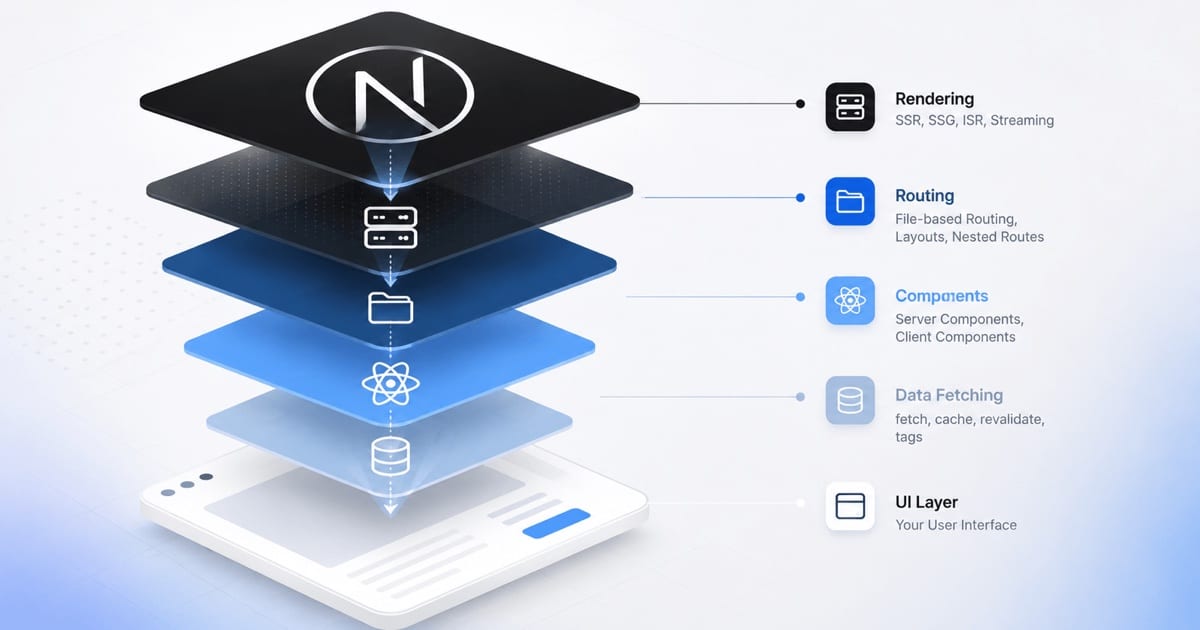
A top-down tour of Next.js: start from the mental model of the framework as a whole, then drill into the concepts that actually shape how you build with it.
Most Next.js explanations are bottom-up: here's routing, here's data fetching, here's caching, here's <Image>, now assemble them. You end up with a bag of features and no spine. This post goes the other way. We start from the one idea the whole framework hangs off, and only descend into a concept once the level above it makes it necessary.
If you know React, you already know more than half of this. The goal is to see how the pieces derive from a single decision, so the API surface stops feeling arbitrary.
Level 0 — The one sentence
Next.js is a React framework that renders on the server first and ships the minimum to the client.
That's it. Everything below is a consequence of taking "server first" seriously. React on its own is a client-side rendering library: it assumes a bundle lands in the browser and builds the UI there. Next.js inverts the default — the server is where components run, and the browser only receives what genuinely needs to be interactive.
Once you accept that inversion, a series of questions follow, and each answer is a "core concept." That chain is the framework.
Level 1 — If the server renders first, where's the boundary?
The first question the inversion forces: which components run on the server, and which run in the browser? This is the Server / Client Component boundary, and it's the concept everything else leans on.
In the App Router, every component is a Server Component by default. It runs on the server, can talk directly to your database or filesystem, and ships zero JavaScript to the client. You opt a component into the browser with a directive at the top of the file:
"use client";
That marks a boundary. The component and everything it imports downstream become part of the client bundle — they hydrate and can use state, effects, event handlers, and browser APIs.
The mental model that keeps you out of trouble:
| Server Components | Client Components | |
|---|---|---|
| For | Fetching and composing | Interactivity |
| Can use | async/await, direct DB/filesystem | useState, useEffect, onClick, browser APIs |
| Cannot use | useState, useEffect, event handlers | Server-only data access |
| Ships JS to client | No | Yes |
| Position in tree | Trunk | Leaves |
The maintainable pattern is to push "use client" as far down the tree as possible. Keep pages and layouts on the server; make only the interactive bits — a dropdown, a form, a like button — client components. A server component can render a client component and pass it data as props; the reverse is constrained (a client component can only receive server components as children, not import them).
Why care? Because the boundary is your bundle-size budget. Every "use client" at a high level drags its whole subtree into the browser. Placed well, most of your app never ships as JavaScript at all.
Level 2 — If files decide what renders, how do URLs map to files?
Server-first rendering needs to know what to render for a given request. Next.js answers with file-system routing: your folder structure under app/ is your route table. No route config object, no <Route> declarations.
A folder is a URL segment. A page.tsx inside it makes that segment publicly routable.
app/
  page.tsx              →  /
  about/page.tsx        →  /about
  blog/
    page.tsx            →  /blog
    [slug]/page.tsx     →  /blog/:slug
[slug] is a dynamic segment; the value arrives as a prop. In Next.js 16 these params are async — you await them, which is jarring the first time but consistent with the server-first model (they may depend on the request):
export default async function Post({ params }: { params: Promise<{ slug: string }> }) {
  const { slug } = await params;
  // ...
}
Alongside page.tsx, a handful of special files turn folder conventions into behavior. This is where the App Router earns its keep:
| Special file | What it does |
|---|---|
layout.tsx | Shared UI that persists across navigation and wraps everything nested below it. Layouts nest, so shared chrome (nav, sidebar) is defined once at the right level and never re-renders on child navigation. The root layout is required and owns <html> and <body>. |
loading.tsx | An instant fallback shown while the segment's data resolves. Under the hood it wraps the segment in a React <Suspense> boundary for you. |
error.tsx | A client-side error boundary scoped to that segment, so a failure in one route doesn't blank the whole app. |
not-found.tsx, template.tsx, route groups (marketing), parallel/intercepting routes | Round out the toolkit for advanced layouts. |
The payoff for someone who cares about structure: your routing, your loading states, and your error boundaries all live next to the code they govern, colocated by feature. There's no central router file drifting out of sync with reality.
Level 3 — When does a page render: at build, or per request?
Server-first doesn't mean "on every request." Next.js decides per route whether a page is static (rendered once, ahead of time) or dynamic (rendered per request), and defaults to static wherever it can.
| Static | Dynamic | |
|---|---|---|
| When rendered | Build time (or revalidated on a schedule) | On demand, per request |
| Why | Content isn't per-user | Output depends on the request: cookies, headers, search params, fresh data |
| Serving | Cached HTML — fast, cheap, servable from a content delivery network (CDN) | Rendered on the server each time |
| Default? | Yes — used wherever possible | Opt-in, triggered by reading request-time data |
A route becomes dynamic the moment you read request-time information (await cookies(), await headers()) or explicitly opt in. For pages that are mostly static but need a slice of fresh data, you don't flip the whole route — you use streaming (Level 4) or the explicit caching model below.
For static pages with dynamic segments, generateStaticParams tells Next.js which paths to pre-render:
export async function generateStaticParams() {
  const posts = await getPosts();
  return posts.map((p) => ({ slug: p.slug }));
}
Blogs and docs should almost always pre-render this way — faster pages, less server load, better SEO.
The caching model worth understanding explicitly
Historically Next.js cached aggressively and implicitly, which surprised people. Next.js 16 moves to explicit caching — you opt in with a "use cache" directive rather than fighting invisible defaults. You mark a function, component, or file as cacheable and control its lifetime and invalidation:
import { unstable_cacheLife as cacheLife, unstable_cacheTag as cacheTag } from "next/cache";

async function getProducts() {
  "use cache";
  cacheLife("hours");
  cacheTag("products");
  return db.product.findMany();
}
cacheLife sets how long a result stays fresh; cacheTag lets you invalidate by tag after a mutation (revalidateTag("products")). The shift from implicit to explicit is the important part: caching becomes something you declare, not something you reverse-engineer.
Level 4 — How does a slow page not block a fast one?
If rendering happens on the server and some data is slow, naïvely the user waits for everything before seeing anything. Streaming solves this, and it's a direct consequence of React Server Components plus <Suspense>.
The server sends HTML in chunks. Fast parts of the page arrive immediately; slow parts show a fallback and stream in when ready.
You get this two ways:
| Mechanism | Granularity |
|---|---|
loading.tsx | Automatic streaming at the route level |
<Suspense> | Manual boundaries around any slow subtree, for fine-grained control |
export default function Page() {
  return (
    <>
      <Header />                        {/* instant */}
      <Suspense fallback={<Skeleton />}>
        <SlowRecommendations />         {/* streams in */}
      </Suspense>
    </>
  );
}
Data fetching itself lives inside Server Components. There's no getServerSideProps ceremony — you await in the component:
export default async function SlowRecommendations() {
  const items = await fetch("https://api.example.com/recs").then((r) => r.json());
  return <List items={items} />;
}
Fetches are automatically memoized within a single render (the same request in the same pass hits the network once), which lets you fetch the same data in two components without wiring up prop-drilling or a shared context just to dedupe.
The architectural win is that it eliminates the classic client-server waterfall — you fetch on the server, next to where the data is used, in one round trip, instead of shipping JS that then fetches from the browser.
Level 5 — How do writes happen without hand-rolling an API?
Reads are covered by Server Components. Mutations get their own primitive: Server Actions. An async function marked "use server" runs on the server but can be called directly from a client component or wired straight into a form — no fetch, no route handler, no client-side API client.
// actions.ts
"use server";

export async function createPost(formData: FormData) {
  const title = formData.get("title");
  await db.post.create({ data: { title } });
  revalidateTag("posts"); // bust the cache so the list updates
}
// a client component
<form action={createPost}>
  <input name="title" />
  <button>Save</button>
</form>
Next.js generates the remote-procedure-call (RPC) plumbing for you — the client "call" is a POST to an endpoint it manages, with type safety across the boundary. For anyone who has maintained a parallel stack of API route + fetch wrapper + request/response types for every mutation, collapsing that into one typed function is the single biggest ergonomic shift in the App Router. Reach for a Route Handler (route.ts, below) only when you genuinely need a public HTTP endpoint — webhooks, third-party callbacks, a mobile client.
Level 6 — What runs before the app even decides what to render?
Some logic has to happen at the very edge of the request, before routing: auth gates, redirects, locale detection, rewrites. That's the request-edge layer. In Next.js 16 the middleware convention was renamed to proxy.ts (same idea, clearer name), a single file that intercepts requests before they reach your routes:
// proxy.ts
import { NextResponse } from "next/server";
import type { NextRequest } from "next/server";

export function proxy(request: NextRequest) {
  const token = request.cookies.get("auth-token");
  if (!token && request.nextUrl.pathname.startsWith("/dashboard")) {
    return NextResponse.redirect(new URL("/login", request.url));
  }
  return NextResponse.next();
}

export const config = { matcher: ["/dashboard/:path*"] };
Keep it thin. It runs on every matched request, so it's for cross-cutting gatekeeping, not business logic.
The sibling primitive here is the Route Handler — app/api/whatever/route.ts exporting GET, POST, etc. This is your escape hatch to a real HTTP API when Server Actions don't fit.
Ground floor — What turns all this into shippable output?
At the bottom sits the build tooling, and in Next.js 16 the notable change is that Turbopack is the default bundler for both next dev and next build. Coming from Vite, the philosophy will feel familiar — fast, incremental, no manual webpack config to babysit. If you're migrating an older app with custom webpack setup, that's the main thing to validate; for new projects there's nothing to configure.
Two more ground-level pieces worth knowing exist:
- The React Compiler is now stable in Next.js 16. It auto-memoizes components, so a lot of manual
useMemo/useCallbackbecomes unnecessary. It's opt-in while build-performance data is gathered. - Deployment is "just" a Node.js server (or a static export, or an edge runtime). The framework's assumptions match Vercel's platform, but it self-hosts fine on any Node 20+ environment.
The spine, in one view
Read top to bottom, each concept exists because the one above it created a question:
- Server-first rendering → so we need a server/client boundary (
"use client"). - A boundary needs to know what to render → file-system routing and special files (
layout,loading,error). - Rendering needs timing → static vs dynamic and an explicit caching model (
"use cache"). - Slow data shouldn't block fast UI → streaming with Suspense, and server-side data fetching inside components.
- Reads need a counterpart → Server Actions for mutations.
- Some logic precedes rendering → the request edge (
proxy.ts, route handlers). - All of it compiles → Turbopack and the React Compiler.
Nothing in that list is a standalone feature you memorize. Each is the answer to "okay, but then how do we…" starting from a single premise. Once the premise clicks — server first, ship the minimum — the rest of Next.js stops being a checklist and starts being a consequence.
Written against Next.js 16 (App Router). Version-specific details — the proxy.ts rename, async request APIs, Cache Components, Turbopack-by-default — apply to the 16.x line; on older versions the concepts hold but some conventions differ.
References
- Next.js Documentation — the official docs for the App Router, rendering, and caching.
use serverdirective — the official reference for Server Actions and server-side functions.