
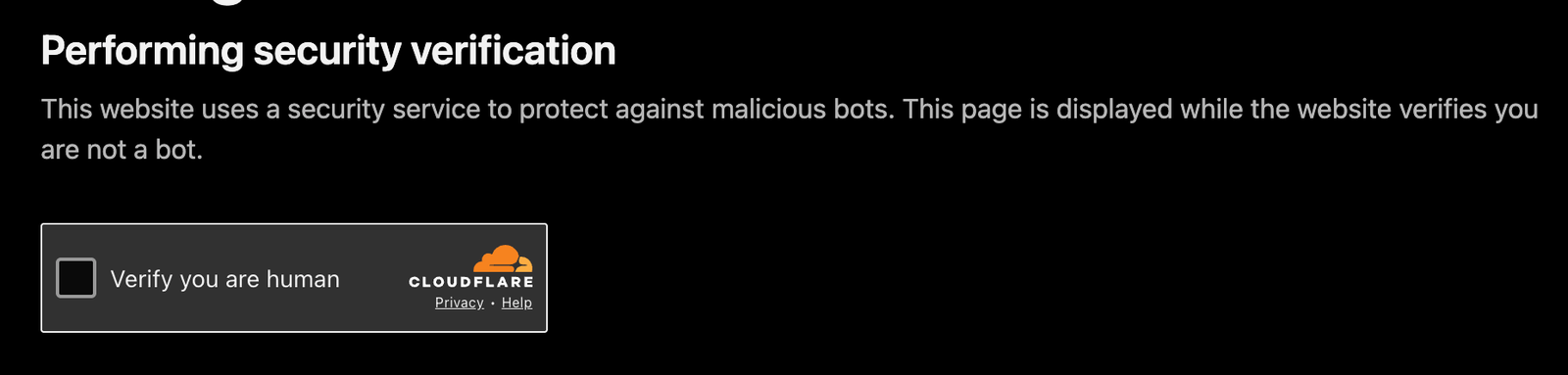
You've seen this screen a thousand times: a dark page, the domain name in bold, "Performing security verification", and a lonely checkbox with the Cloudflare logo. It feels like a speed bump, but there's a surprisingly rich pipeline behind it — and, importantly, none of it runs on the website's own servers.
Let's walk through the whole lifecycle: what happens before the page appears, what happens when you tick the box, and who actually controls this logic.
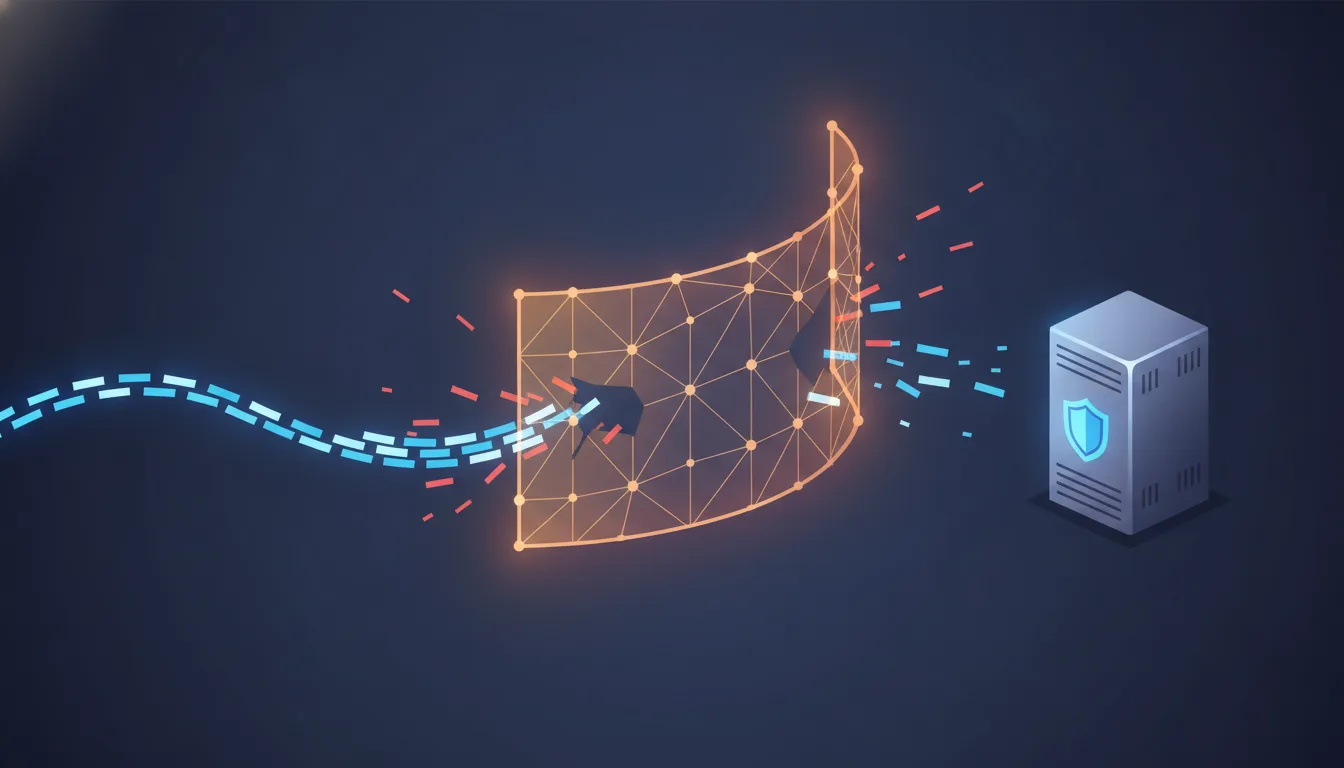
The setup: Cloudflare is a reverse proxy
The first thing to understand is that when a site like www.acme.com uses Cloudflare, its public Domain Name System (DNS) records don't point at Acme's servers at all. They point at Cloudflare's anycast Internet Protocol (IP) addresses. Every request from every visitor lands first on a Cloudflare edge server — a Point of Presence (PoP) — usually one geographically close to the user.
Acme's actual infrastructure (the origin) sits behind that proxy. In a well-configured setup, the origin only accepts traffic coming from Cloudflare, so there's no way to walk around the bouncer.
That single architectural fact answers most of the "where does this run?" question up front. But let's trace the request.
Phase 1: From typing the URL to seeing the challenge page
Step by step, on the edge:
- Transport Layer Security (TLS) termination. Cloudflare decrypts the request at the edge. This is what allows it to inspect headers, paths, and payloads at all.
- Rule evaluation. The edge runs the zone's configuration: Web Application Firewall (WAF) managed rules, the site owner's custom rules, rate limits, the zone's "security level", and toggles like Bot Fight Mode or the famous Under Attack Mode (which challenges essentially everyone).
- Passive fingerprinting and scoring. Before any JavaScript runs, Cloudflare already has strong signals: the source IP's reputation and Autonomous System Number (ASN), the TLS handshake fingerprint (things like JA3/JA4 — automated HyperText Transfer Protocol (HTTP) clients and headless browsers negotiate TLS differently than real Chrome or Safari), HTTP header ordering, request rate, and a machine-learning (ML) derived bot score built from the traffic Cloudflare sees across millions of sites.
- The decision. If everything looks clean, the request is proxied to the origin (or served from edge cache) and you never know any of this happened. If a rule matches or the score is suspicious, the edge short-circuits: instead of proxying, it responds itself with the interstitial challenge page. That's the screenshot above.
Two details worth noting:
- The challenge response typically comes back as a 403 with a
cf-mitigated: challengeheader, which is how Application Programming Interface (API) clients and monitoring tools can detect they've been challenged rather than genuinely blocked. - Being challenged doesn't mean "you are a bot". The default outcome for gray-area traffic is a Managed Challenge: Cloudflare decides dynamically whether a non-interactive check suffices or whether it needs to show the checkbox. Virtual Private Networks (VPNs), shared corporate Network Address Translation (NAT) gateways, privacy browsers, and unusual geographies get swept into this all the time.
Why you get flagged (and why a VPN almost guarantees it)
So why does this keep happening to you? A challenge isn't one red flag — it's an accumulated bot score crossing a threshold. Cloudflare scores every request from 1 to 99, where a low score means "almost certainly automated," and no single signal decides it — the score is the sum of many. You get challenged when enough of them stack up, and VPN traffic happens to trip several at once.
Here's what goes into that verdict, and why each one reads as bot-like:
| Signal | What Cloudflare sees | Why it looks bot-like |
|---|---|---|
| IP reputation | The abuse history tied to your address and its neighbors, aggregated across millions of sites | Bots reuse a small pool of dirty addresses; a bad reputation is guilt by association |
| Network type (ASN) | Whether the request comes from a residential ISP or a hosting/datacenter network | Humans browse from home ISPs; servers and bots live in datacenters |
| TLS fingerprint | How your client negotiates the TLS handshake (JA3/JA4) | An automation-library fingerprint under a "Chrome" User-Agent is a contradiction |
| HTTP headers | The set, order, and consistency of your request headers | Automation and header-stripping tools send fewer or reordered headers than a real browser |
| Behavior & rate | Request volume and cadence, whether cookies persist, whether JavaScript runs | Scripts hammer fast, skip cookies, and don't execute page JavaScript |
| Owner config | Under Attack Mode, or custom rules targeting an ASN, country, or path | Sometimes it isn't you at all — the site is challenging everyone |
The three signals a VPN trips — up close
The signals aren't equally to blame. Three of them do most of the work, and a VPN feeds all three.
Your address lives in a datacenter. The network signal is about where humans actually are. Residential Internet Service Provider (ISP) networks — Comcast, Vodafone, your mobile carrier — are "eyeball" networks: they're full of people. Hosting networks — Amazon Web Services (AWS), OVH, Hetzner, M247 — are where servers and scrapers run. Commercial VPNs rent their exit nodes in exactly those hosting networks, so the moment you connect, your browser traffic arrives from an ASN that, statistically, almost never carries a real human browsing session. A person shopping from a server rack is the anomaly, and the score reflects that before anything else is even measured.
Your handshake might not match your browser. A JA3/JA4 fingerprint hashes the details of the TLS Client Hello — the TLS version, the ordered list of cipher suites, the extensions, the elliptic curves your client offers. Real Chrome, Safari, and Firefox each produce a small set of well-known, stable hashes. Automation stacks (Go's HTTP client, Python requests, headless Chrome) and some VPN or proxy layers that re-terminate TLS produce different hashes. The tell isn't any single fingerprint — it's the mismatch: a handshake that fingerprints as "Go program" while the User-Agent header claims "Chrome on macOS" is a request lying about what it is, and lying is exactly what a scraper does.
You inherit thousands of strangers' behavior. This is the crux of why VPNs are challenged so reliably. A commercial VPN funnels thousands of users through a handful of shared exit addresses. That has two consequences, both bad for your score. First, the aggregate traffic from one exit IP — thousands of people hitting thousands of sites — has the shape of scripted, high-volume, high-variety traffic from a single source, which is what a botnet looks like from the edge. Second, reputation is shared: if anyone behind that exit runs a scraper, brute-forces a login, or sends spam, the address's reputation drops for everyone riding it. You didn't do anything — you just share a curb with someone who did.
(A fourth, lesser effect: your exit IP geolocates to wherever the VPN server is, so a login that suddenly appears to come from another continent can trip a site owner's geo rules on its own.)
It's not only VPNs
Anything that shares an address, hides in a datacenter, or alters your browser's fingerprint lands in the same gray zone:
- Tor (The Onion Router) — a small set of publicly-listed, heavily-abused exit nodes. Cloudflare knows every one of them; traffic from Tor is challenged almost by default.
- Corporate networks and Carrier-Grade Network Address Translation (CGNAT) — hundreds of employees, or an entire mobile region, sharing one public IP. Same "shared address looks like volume" problem as a VPN, minus the datacenter ASN.
- Privacy browsers and anti-fingerprinting extensions — Tor Browser, hardened Firefox, and aggressive extensions deliberately change or strip your TLS/HTTP fingerprint. The irony: by trying to look like no one, you stop looking like the known-good browser the model expects, which raises suspicion rather than lowering it.
- Headless and outdated clients — headless Chrome, Selenium, Playwright, curl-based scrapers, and old TLS libraries. These aren't false positives; they're the actual automation the whole system is tuned to catch, and legitimate users occasionally get filed next to them.
The through-line: none of these individually says "bot" — VPNs, Tor, CGNAT, and privacy browsers get challenged because they trip the very same signals real bots do: datacenter addresses, shared and abused IPs, and fingerprints that don't match a normal browser.
Phase 2: What the challenge page is actually doing
The page you see isn't static. While "Performing security verification" is displayed, embedded JavaScript (the Challenge Platform, which shares its engine with Turnstile, Cloudflare's replacement for the traditional CAPTCHA — Completely Automated Public Turing test to tell Computers and Humans Apart) is already running a battery of non-interactive tests:
- Proof-of-work: a small computational puzzle that's cheap for one browser but expensive at bot-farm scale.
- Environment probes: does this JavaScript engine behave like a real browser? Are the APIs, timing characteristics, and rendering quirks consistent with the claimed User-Agent? Headless browsers and automation frameworks leak inconsistencies here.
- Behavioral signals: subtle interaction and timing telemetry.
Often that's enough and the page auto-resolves without you touching anything. The checkbox appears when Cloudflare wants one explicit, human-shaped interaction as an extra signal — but the click itself is a minor part of the verdict. It's not "prove you can click"; it's one more data point layered on everything above.
Phase 3: The checkbox is ticked
The key artifact here is the cf_clearance cookie. Once the edge is satisfied, it issues this cookie, scoped to the domain and bound to characteristics of your session (which is why copying it to a different machine or IP tends not to work). It has a limited lifetime — configurable by the site owner, commonly in the range of 30 minutes to a few hours.
The browser then re-requests the original Uniform Resource Locator (URL). This time the edge sees a valid clearance cookie, skips the whole challenge pipeline, and finally does what a proxy does: forwards the request to Acme's origin, gets the response, and hands it back to you. Subsequent requests ride on the same cookie until it expires, which is why you don't get challenged on every click.
The rationale: where does this logic run, and do site owners get a say?
Where it runs: entirely on Cloudflare's edge network. The origin never executes any of this, never serves the challenge page, and — for challenged requests — never even receives the request. That's precisely the value proposition: a Distributed Denial-of-Service (DDoS) wave or scraper swarm is absorbed and filtered at hundreds of PoPs around the world, and only pre-vetted traffic consumes origin Central Processing Unit (CPU), bandwidth, and database connections. When you deploy a site behind Cloudflare (orange-clouded DNS record), you're opting into that interception layer by design.
Do clients have any say? Yes — over the policy, not the mechanism. Think of it as configuration versus implementation: site owners control the when and who, while Cloudflare owns the how.
| Site owner controls — the policy (when & who) | Cloudflare controls — the mechanism (how) |
|---|---|
| Per-zone security level and Under Attack Mode | The bot-scoring models |
| Custom WAF rules — which paths or ASNs to challenge or skip | The fingerprinting techniques (JA3/JA4 and friends) |
| The action on a match: Managed Challenge, JavaScript challenge, or block | The proof-of-work design |
Rate-limit thresholds and cf_clearance cookie lifetime | The pass/fail verdict logic |
| Challenge-page branding (on paid plans) | — continuously updated from cross-network traffic |
Site owners can also embed Turnstile directly in their own forms as a reCAPTCHA replacement, independent of the proxy. What they can't touch is the proprietary machinery in the right-hand column — and that's the honest trade-off of the model: you're outsourcing the arms race, and occasionally your legitimate users (VPN users, privacy-hardened browsers, unusual clients) pay a small tax at the checkbox for it.
So the next time you see that dark page: the site you're visiting hasn't heard from you yet. You're negotiating with the bouncer, and the bouncer works for Cloudflare — hired, and loosely instructed, by the site owner.
References
- How Challenges work — Cloudflare docs
- Interstitial Challenge Pages & Managed Challenge — Cloudflare docs
- Detect a Challenge Page response (the
cf-mitigatedheader) — Cloudflare docs - Clearance (the
cf_clearancecookie) — Cloudflare docs - Turnstile — Cloudflare docs
- Bot Management variables (bot score, JA3, ASN) — Cloudflare docs
- Why am I being challenged? Troubleshooting (VPN/Tor/extensions/IP reputation) — Cloudflare docs