
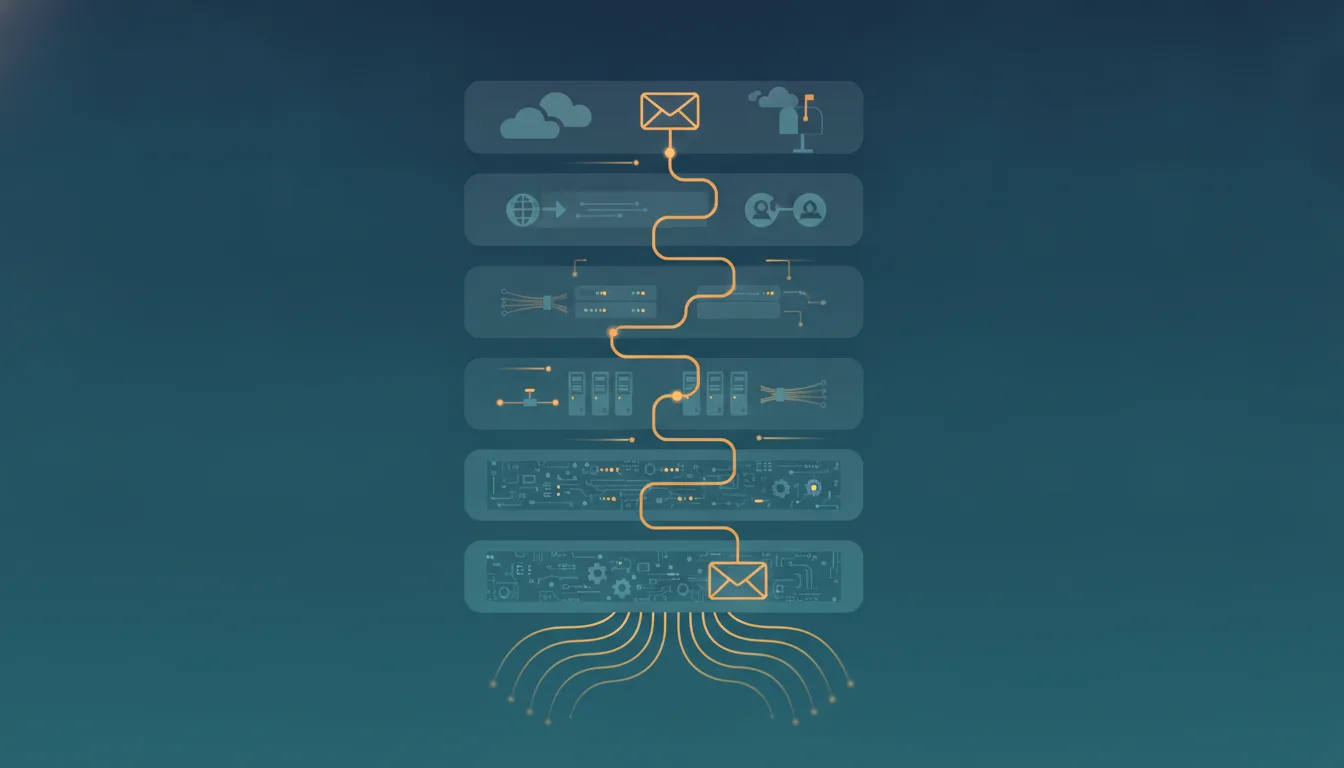
If you've ever nodded along when someone said "that's a layer 4 problem" while secretly having no idea what they meant, this post is for you. We'll walk through the OSI (Open Systems Interconnection) model with a simple, everyday postal analogy, and then use that new knowledge to understand why HTTP/3 — the newest version of the HyperText Transfer Protocol (HTTP) — is such a big deal.
What is the OSI model, and why should you care?
The OSI (Open Systems Interconnection) model is a mental map of how data travels from one computer to another. It splits the whole journey into seven layers, each with one job. No single layer knows or cares how the others do their work — it just hands things off to the layer below (when sending) or above (when receiving).
Think of it like sending a physical letter to a friend in another country:
- You write the message (the content).
- You put it in an envelope with an address (the packaging).
- The postal service figures out the route (the delivery logistics).
- Trucks, planes, and mail carriers physically move it (the transport medium).
You, the writer, don't care which highway the truck takes. The truck driver doesn't care what's written in the letter. That separation of concerns is the entire point of the OSI model. (Sound familiar? It's the same principle behind writing modular code: each module has one responsibility and a clean interface to the next.)
The seven layers, from bottom to top
A handy mnemonic, from layer 1 up to layer 7: "Please Do Not Throw Sausage Pizza Away" — Physical, Data Link, Network, Transport, Session, Presentation, Application. Each layer has exactly one job and a clean interface to its neighbors, so you can reason about — and debug — one layer without understanding the rest.
Here's the whole stack at a glance. The unit column is the name for the chunk of data each layer works with (formally, its protocol data unit):
| Layer | Job | Example | Unit |
|---|---|---|---|
| 7 — Application | The protocol your app speaks | HTTP, DNS, SSH | message |
| 6 — Presentation | Encoding, compression, encryption | TLS, UTF-8, gzip | data |
| 5 — Session | Open, maintain, and close a conversation | TLS session setup, login sessions | data |
| 4 — Transport | End-to-end delivery between two machines | TCP, UDP | segment / datagram |
| 3 — Network | Route packets across different networks | IP, routers, ping | packet |
| 2 — Data Link | Move data between directly-connected devices | Ethernet, Wi-Fi, switches | frame |
| 1 — Physical | Move raw bits as signals | Cables, fiber, radio waves | bit |
Data is handed down the stack when you send and up the stack when you receive — each layer only ever talks to the one directly above or below it:
Now the same seven layers, one at a time.
Layer 1 — Physical: the actual wires
What it does: Moves raw bits (1s and 0s) as electrical signals, light pulses, or radio waves.
Analogy: The roads, trucks, and planes that physically carry your letter. Nobody here reads anything — they just move stuff.
Real-world examples: Ethernet cables, fiber optics, Wi-Fi radio signals, your laptop's network card hardware.
When it breaks: "Is the cable plugged in?" is a layer 1 question. So is "my Wi-Fi signal is weak because I'm behind three concrete walls."
Layer 2 — Data Link: talking to your neighbors
What it does: Moves data between devices that are directly connected on the same local network. It uses media access control (MAC) addresses — the unique hardware ID burned into every network card.
Analogy: The mail carrier who delivers to houses on one specific street. They know every house on their route personally, but they have no idea how mail gets across the country.
Real-world examples: Ethernet frames, Wi-Fi (the 802.11 standard), network switches. When your laptop talks to your home router, that's layer 2 at work.
When it breaks: Two devices with conflicting network configs on the same local area network (LAN), or a flaky switch port.
Layer 3 — Network: finding the way across the world
What it does: Routes data between different networks using Internet Protocol (IP) addresses. This is where the "inter" in "internet" happens — connecting networks together.
Analogy: The postal system's routing brain. It reads the country, city, and postal code on your envelope and decides: "this goes on the plane to Spain, then the truck to Barcelona, then to the local office."
Real-world examples: IP (both IPv4 and the newer IPv6), routers, ping, traceroute.
When it breaks: "I can reach my router but not the internet" — that's usually layer 3. Misconfigured routes, wrong gateway, and the like.
Layer 4 — Transport: making delivery reliable (or not)
What it does: Manages the end-to-end conversation between two machines. It splits data into chunks and — depending on the protocol — makes sure everything arrives, in order, without duplicates. It also introduces ports, so one machine can hold many conversations at once (port 443 for HTTPS, 5432 for Postgres, 5173 for your Vite dev server, and so on).
The two famous players here are the Transmission Control Protocol (TCP) and the User Datagram Protocol (UDP):
| Protocol | Personality | Guarantees | Best for |
|---|---|---|---|
| TCP | The careful courier — numbers every package, requires a signature on delivery, and re-sends anything lost | Reliable, ordered, no duplicates (but the paperwork adds overhead) | Web pages, APIs, file transfers |
| UDP | The person who throws flyers out of a moving car — fast, no receipts | None: packets may be lost, reordered, or duplicated | Video calls, gaming, live streams |
Analogy: TCP is certified mail with tracking. UDP is dropping a postcard in the mailbox and hoping.
When it breaks: "Connection timed out," "port already in use" (every dev's favorite), a firewall blocking a port.
Layer 5 — Session: keeping the conversation going
What it does: Opens, maintains, and closes ongoing "conversations" (sessions) between applications.
Analogy: A phone call. You dial, say hello, talk for a while (maybe with pauses), and hang up. The session layer is the etiquette that keeps track of "we're still in the middle of a call."
Real-world examples: The handshake that establishes a Transport Layer Security (TLS) session, keeping a login session alive, resuming an interrupted file transfer.
Layer 6 — Presentation: making data understandable
What it does: Translates data into a format both sides understand: character encoding, compression, and encryption/decryption.
Analogy: A translator plus a document formatter. Your friend writes in Catalan, you read in English — someone in the middle converts it. And if the letter is in a locked box (encrypted), this layer holds the key.
Real-world examples: TLS encryption, UTF-8 (Unicode) text encoding, gzip/Brotli compression, JPEG/PNG image formats.
Layer 7 — Application: what you actually use
What it does: The protocols your apps speak directly. This is not the app itself (Chrome is not layer 7) — it's the protocol the app uses to communicate.
Analogy: The actual content and language of your letter: "Dear friend, here's my news..."
Real-world examples: HTTP and HTTPS (HTTP Secure), WebSocket, the Domain Name System (DNS), the Simple Mail Transfer Protocol (SMTP, for email), the File Transfer Protocol (FTP), and Secure Shell (SSH).
When it breaks: 404s, 500s, Cross-Origin Resource Sharing (CORS) errors, malformed JavaScript Object Notation (JSON) — the everyday joys of frontend life. All layer 7.
The full journey: what happens when you fetch an API
Say your React app runs fetch('https://api.example.com/users'). The request travels top to bottom through the stack, each layer wrapping the previous one's output in its own envelope:
- Layer 7: The browser builds an HTTP
GETrequest. - Layer 6: The request gets encrypted with TLS (that's the S in HTTPS).
- Layer 5: A session with the server is established or reused.
- Layer 4: The request is split into segments, each stamped with source and destination ports.
- Layer 3: Each segment is wrapped in an IP packet with source and destination IP addresses.
- Layer 2: Each packet is wrapped in a frame with MAC addresses for the next hop (your router).
- Layer 1: The frame becomes electrical signals or radio waves and physically travels.
On the server, the whole thing happens in reverse — each layer unwraps its part, like Russian nesting dolls, until the server's application reads a plain HTTP request.
One caveat before we move on: the OSI model is a teaching model, not a strict blueprint. The real internet runs on the simpler TCP/IP model, where layers 5, 6, and 7 blur together into one "application" blob. Keep that in mind — it's about to matter a lot.
HTTP/3, explained through the layers
Now that you speak "layers," let's see why HTTP/3 exists and what it actually changes. The one-line spoiler: HTTP/3 is mostly a layer 4 revolution wearing a layer 7 name.
The short history: HTTP/1.1 (1997) could only handle one request at a time per TCP connection, so browsers cheated by opening several parallel connections. HTTP/2 (2015) introduced multiplexing — many requests sharing one TCP connection, interleaved as "streams" — but a hidden flaw came with it. HTTP/3 (2022) threw TCP out entirely and rebuilt the transport on top of UDP, via a new protocol called QUIC (originally "Quick UDP Internet Connections," now used as a proper name).
The problem lives one layer down
Remember TCP, the careful courier from layer 4? It guarantees that data arrives in order. That sounds great until you see what it means for HTTP/2's multiplexing.
Imagine a single conveyor belt (one TCP connection) carrying boxes for three different customers (three multiplexed streams: your CSS, your JavaScript bundle, an API response). If one box falls off the belt, TCP stops the entire belt until that box is recovered and put back in its exact spot — even though the other two customers' boxes are fine and just sitting there, waiting.
That's head-of-line (HOL) blocking. One lost packet for styles.css delays your perfectly-delivered bundle.js too. And here's the kicker: this happens at layer 4, so nothing at layer 7 can fix it. HTTP/2 did everything right at its own layer — it was betrayed by the layer below. It's a painful illustration of why layers matter: a design decision at one layer put a hard ceiling on what the layers above could achieve.
The fix: rebuild layer 4 in userspace
The obvious fix would be "improve TCP." But TCP is implemented inside operating-system kernels and network hardware all over the planet; changing it would take decades (ask IPv6 how that's going). So Google — and later the Internet Engineering Task Force (IETF) — took a different path: build a brand-new transport protocol on top of UDP, the protocol that does almost nothing and is therefore already allowed everywhere. That protocol is QUIC.
Using our analogy: instead of renovating the global postal system, they hired the flyer-throwing UDP driver and gave him a smart assistant who handles tracking, receipts, and re-delivery — privately, without needing the post office's permission.
What HTTP/3 looks like on the layer map
Here's the before and after. Old stack, HTTPS over HTTP/2:
| OSI layer | Protocol |
|---|---|
| 7 — Application | HTTP/2 |
| 6 — Presentation | TLS 1.2/1.3 (a separate step) |
| 4 — Transport | TCP |
| 3 — Network | IP |
New stack, HTTPS over HTTP/3:
| OSI layer | Protocol |
|---|---|
| 7 — Application | HTTP/3 |
| 6/5/4 — Presentation, Session, Transport | QUIC (with TLS 1.3 built in) |
| 4 — Transport (thin base) | UDP |
| 3 — Network | IP |
Notice what happened: QUIC deliberately smashes layers 4, 5, and 6 together. It handles reliability and ordering (layer 4 jobs), the connection lifecycle (layer 5 jobs), and encryption (a layer 6 job, via mandatory TLS 1.3) as one integrated unit. This is the payoff of thinking in layers — and the reminder that the model is a map, not the territory: real protocols cross the lines when there's a good reason.
Merging those layers is what lets QUIC fix head-of-line blocking at the root. Because it understands streams natively at the transport layer, each stream has independent delivery: if a packet from the CSS stream is lost, only the CSS stream waits — your JavaScript bundle and API response keep flowing. Three separate conveyor belts instead of one. The same merge also folds the connection and encryption handshakes into a single round trip (the time for a message to reach the server and come back), and lets a connection survive a network switch — from Wi-Fi to mobile data — without dropping.
Those downstream wins (faster handshakes, zero round-trip-time resumption, connection migration, mandatory encryption) are exactly the QUIC-and-HTTP/3 details covered in depth in the companion post, HTTP: The Hidden Essentials Every Developer Should Know — read that next if you want the transport-level treatment. Here, the point is narrower and more useful: you can now place each of those wins on the layer map and see exactly which layer it belongs to.
The layer lesson
Does any of this change your code? Almost certainly not — and that's the final lesson. Your fetch() calls, your React Query hooks, your REST or GraphQL APIs are identical, because HTTP/3 keeps the same semantics at layer 7 (same methods, status codes, headers). All the innovation happened at layers 4–6, hidden behind the interface. Your application code doesn't change at all, which is exactly what good layering promises. Enabling HTTP/3 is an infrastructure task — your content delivery network (CDN) or reverse proxy advertises support, and browsers switch over automatically, falling back to HTTP/2 over TCP when a network blocks UDP.
To recap the whole journey:
- The OSI model splits networking into seven layers, each with one job and a clean interface — separation of concerns, but for the internet.
- HTTP/2's big weakness (head-of-line blocking) wasn't HTTP's fault — it was TCP's, one layer down.
- HTTP/3 fixed it by replacing TCP with QUIC: a new transport built on UDP that merges layers 4, 5, and 6 — independent streams, encrypted handshakes in one round trip, and connections that survive network switches.
- Your application code doesn't change at all, which is exactly what good layering promises.
Once you can name the layer, "that's a layer 4 problem" stops being intimidating jargon and becomes a precise, useful diagnosis.
References
- RFC 9114 — HTTP/3 — the HTTP/3 specification (IETF, June 2022).
- RFC 9000 — QUIC: A UDP-Based Multiplexed and Secure Transport — the QUIC transport specification (IETF, May 2021).
- AWS — What is the OSI Model? The 7 layers explained — a clear reference for the seven-layer model (formally defined in ISO/IEC 7498-1).
- HTTP: The Hidden Essentials Every Developer Should Know — the companion post, with the deep transport-level treatment of QUIC and HTTP/3.