
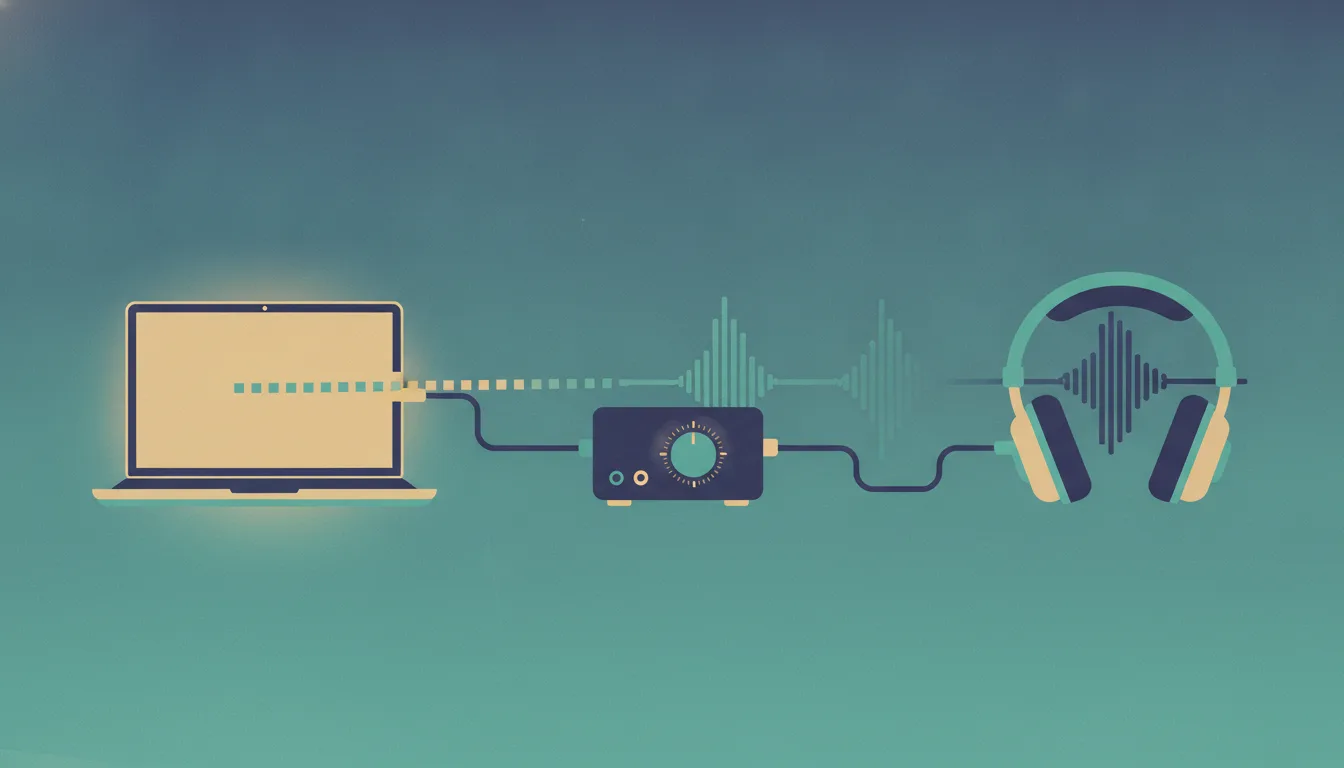
If you spend your day in front of a laptop and your music comes from that same machine, you already own most of a hi-fi system. What's usually missing is an understanding of the path your audio takes from a file (or a stream) to your ears, and where in that path quality is actually won or lost. This post walks through that path end to end: the digital transport protocols, why the DAC is the pivot point of the whole chain, and the right way to wire a computer or phone into headphones or an analog amplifier.
The signal chain, in one sentence
Every digital audio setup, no matter how cheap or expensive, is the same pipeline: a source (your computer or phone) sends digital audio over a transport (USB, Bluetooth, optical, network) to a DAC (digital-to-analog converter), which produces a small analog signal that an amplifier boosts to a level that can drive headphones or speakers. Everything you'll ever read about hi-fi gear is an argument about one of those five boxes or the cables between them.
The key mental model: as long as the audio stays digital, it is essentially immune to degradation. Bits either arrive or they don't. The moment it becomes analog, every subsequent step can add noise and distortion, and nothing downstream can remove it. So the strategy is simple: keep the signal digital for as long as possible, do the conversion once in a good place, and keep the analog path short and clean.
The transports: how digital audio actually travels
USB Audio: the default, and usually the best
When you plug a DAC into a computer or a modern phone, it talks USB Audio Class — a standardized, driverless protocol. There are two versions that matter. UAC1 is limited to 24-bit/96 kHz but works everywhere, including ancient hardware and game consoles. UAC2 supports essentially unlimited sample rates (32-bit/768 kHz, DSD over PCM) and is natively supported by macOS, Linux, Android, iOS/iPadOS, and Windows 10 (since version 1703) onward. Any DAC made in the last several years is UAC2 and will just enumerate as an audio device the moment you plug it in.
The detail worth knowing is asynchronous USB mode. In the early days, USB audio was "adaptive": the computer dictated the timing of the data stream, and the DAC had to reconstruct a clock from it, which introduced jitter (timing errors in when each sample is converted). Virtually every modern DAC instead runs asynchronously: the DAC has its own high-precision clock, buffers incoming data, and tells the computer when to send more. The DAC becomes the timing master. This is why "USB is bad for audio" is a fossil of an argument — over a modern async connection, the computer's timing sloppiness is irrelevant.
USB is bidirectional, carries the full resolution of anything you'd realistically play, and gives the DAC control over timing. For a desktop setup, it should be your default choice.
The one genuine USB weakness is electrical, not digital: a USB cable carries the computer's 5 V power and ground, which can inject noise into a poorly designed DAC or create ground loops (an audible hum when devices in the chain sit at slightly different ground potentials). Good DACs isolate this internally. If you ever hear hum or whine that changes with GPU load or mouse movement, the fix is a DAC with better isolation, powering the DAC externally, or switching that link to optical — not a $300 "audiophile" USB cable.
S/PDIF: optical (TOSLINK) and coaxial
S/PDIF is the older consumer digital standard, in two physical flavors: optical (TOSLINK, the square port that glows red) and coaxial (an RCA connector carrying an electrical digital signal). Both carry the same protocol: stereo PCM, typically up to 24-bit/96 kHz reliably over optical and 24/192 over coax, plus compressed multichannel formats for home theater.
Optical has one superpower: it's a beam of light, so it provides total galvanic isolation. No electrical connection means no ground loops and no computer noise leaking into your audio chain, period. If you have a stubborn hum problem or a very noisy PC, optical solves it by physics. The trade-offs: it's one-way, the DAC cannot control timing (the source's clock rules, so jitter rejection depends on the DAC's receiver), the bandwidth ceiling is lower, and TVs and motherboards are increasingly dropping the port.
Coaxial is electrically robust and supports higher rates than optical but reintroduces the ground connection, which removes optical's main advantage. In practice: use USB by default, keep optical in your back pocket as the nuclear option for noise problems, and use whatever your TV offers (usually optical or HDMI ARC) for that specific source.
Bluetooth: convenient, always lossy, and codec roulette
Here is the uncomfortable truth stated plainly: Bluetooth audio is always lossy. The bandwidth of the Bluetooth audio profile (A2DP) is not enough for uncompressed CD-quality audio, so everything gets run through a lossy codec before transmission. The question is only how lossy, and that depends on which codec both your phone and your headphones support — the connection silently negotiates down to the best common denominator.
| Codec | Who uses it | Bitrate / quality | What to know |
|---|---|---|---|
| SBC | Mandatory baseline, every device | Low; mediocre at common configs | The fallback when nothing better is shared |
| AAC | Apple devices | Good on iPhone, inconsistent on Android | iPhones have excellent AAC encoders |
| aptX / aptX HD | Qualcomm; common on Android | Solid, moderate compression | Not supported by iPhones |
| LDAC | Sony; high-end Android | Up to 990 kbps; closest to transparent | Degrades under interference; often defaults to a lower "balanced" bitrate unless you force 990 kbps in developer options |
| LC3 | New LE Audio standard | Beats SBC at half the bitrate | The future baseline; ecosystem still rolling out |
Two practical consequences. First, an iPhone cannot send LDAC or aptX to anything — buying LDAC headphones for an iPhone buys you nothing over AAC. Match the codec to your phone, not to the spec sheet. Second, Bluetooth headphones contain their own DAC and amplifier inside the earcup; the entire analog chain is sealed inside the product, so external DACs are irrelevant to them. Bluetooth is a lifestyle trade: real convenience for a real, bounded quality cost. For commuting it's the right call. For focused listening at a desk, wire it.
Network audio: AirPlay, Chromecast, and friends
If your amp or streamer sits across the room, network protocols beat Bluetooth comprehensively because Wi-Fi has bandwidth to spare. AirPlay 2 carries lossless CD-quality (16/44.1) ALAC — though note that Apple Music's own "Hi-Res Lossless" tiers get downsampled through it. Chromecast built-in goes further, up to 24/96 lossless, and has an architectural elegance: your phone is just a remote control, and the receiving device pulls the stream directly from the internet, so your phone's battery and radio conditions don't matter. Spotify Connect and Tidal Connect work the same way for their services. Roon (with its RAAT protocol) is the enthusiast option: bit-perfect multi-room streaming with a phenomenal interface, at a subscription price. UPnP/DLNA is the creaky open standard that ties self-hosted libraries to network streamers.
The pattern to internalize: protocols where the endpoint pulls the stream itself (Chromecast, Connect protocols, Roon) are more robust than protocols where your phone pushes audio in real time. If you're buying a streamer or an amp with streaming built in, Chromecast or the Connect protocols are the features to look for.
Why the DAC matters (and why yours might not)
Every device that makes sound has a DAC. Your laptop has one soldered to its motherboard, centimeters from a screaming multi-GHz CPU, allotted maybe fifty cents of the bill of materials. Your phone has one feeding its USB-C port through whatever dongle you attach. The question is never whether you use a DAC — it's whether the one you're using is any good.
A DAC's job sounds trivial: take a stream of numbers, output the corresponding voltage. The difficulty is doing it precisely. Three things separate a good implementation from a bad one. Conversion accuracy: the analog output should track the digital input with vanishingly low added distortion and noise — this is what measurements like THD+N and SNR capture. Timing: each sample must be converted at exactly the right instant; clock jitter smears energy into frequencies that were never in the recording. Analog environment: the delicate post-conversion signal must not pick up hash from nearby digital circuitry, switching power supplies, or the host computer's ground — which is precisely the problem with motherboard audio, where the DAC lives in the noisiest possible neighborhood.
A dedicated external DAC wins on all three fronts by construction: quality converter silicon, its own low-jitter clock running the show over async USB, and physical distance plus electrical isolation from the computer.
Now the honest part, which audiophile marketing won't tell you: DAC quality plateaued years ago, and it plateaued cheap. Competently engineered DACs at $100–200 today measure beyond the limits of human hearing — noise and distortion at −110 dB or lower, ruler-flat frequency response. The audible difference between a good $150 DAC and a $5,000 one ranges from subtle to nonexistent under controlled conditions. The real, unambiguous jump is from bad (motherboard audio with audible hiss and interference, a freebie dongle that distorts) to competent. Once you're at competent, spend the next euro on headphones or speakers — the transducers at the end of the chain vary enormously and dominate what you actually hear.
DAC, amp, or both in one box?
The market sells three shapes of product. A standalone DAC outputs line-level analog and needs an amplifier after it. A headphone amplifier takes line-level analog in and drives headphones. And a DAC/amp combo does both in one enclosure — this is what most people should buy. Desktop combos (the classic "stack" category) handle everything from IEMs to fairly demanding planar headphones. Dongle DACs are the same idea miniaturized: a USB-C stick with a 3.5 mm (and often 4.4 mm balanced) jack, powered by the phone, that comprehensively outclasses any phone's built-in output for the price of a video game. For phones, a dongle DAC is the single best value in all of audio.
Separates (a distinct DAC box feeding a distinct amp box) make sense when you need more power than combos provide, want to upgrade the halves independently, or are feeding both headphones and powered speakers from one source.
Getting bit-perfect output from your OS
The transport and DAC can be flawless and your OS can still quietly mangle the stream before it leaves the machine. Each platform has its own behavior worth knowing.
Windows runs all shared audio through a system mixer at one fixed sample rate, resampling everything to match. The resampler in modern Windows is decent, but if you want the DAC to receive exactly what's in the file, use WASAPI Exclusive mode or ASIO in your player (foobar2000, Roon, Audirvana all support both), which bypasses the mixer and hands the device to the player. At minimum, go to Sound settings and set your DAC's default format to 24-bit/48 kHz or higher.
macOS Core Audio also resamples to a fixed device rate, and there's no exclusive mode in the OS itself — but audiophile players implement automatic sample rate switching, changing the device rate to match each track. If you use the Music app directly, the rate is whatever is set in Audio MIDI Setup, and it will not switch per track; set it once to match the bulk of your library (44.1 kHz for most streaming) or use a player that switches for you.
Linux is, pleasantly, in great shape: modern PipeWire handles rate switching gracefully, and direct ALSA output from players like MPD gives you bit-perfect with no ceremony. USB Audio Class support in the kernel is excellent.
Android has a historical gotcha: the system audio path resamples everything to 48 kHz. For casual listening it's inaudible in practice, but apps like USB Audio Player PRO or the better streaming apps (Tidal, Qobuz with exclusive mode) talk to a USB DAC directly, bypassing the Android mixer entirely. iOS is cleaner — it outputs bit-perfect over USB-C/Lightning up to the connected DAC's capabilities without fuss.
Sample rates themselves deserve one demystifying paragraph: 16-bit/44.1 kHz — plain CD quality — already captures the full range of human hearing with dynamic range to spare. Hi-res files aren't harmful, but they're not the upgrade path; a well-mastered 16/44.1 album through good headphones beats a loudness-warred 24/192 file every time. Chase masters and transducers, not sample rates.
Wiring it all together, correctly
Computer → headphones (the desktop setup)
The canonical chain: computer → USB → DAC/amp combo → headphones. One cable in, headphones out, done. If you run separates instead: computer → USB → DAC → RCA or XLR interconnects → headphone amp → headphones. Keep the analog interconnects reasonably short and away from power bricks; beyond basic competence, cables are solved — spend on the boxes, not the wires.
The one classic mistake to avoid is double amping: plugging your amp into the computer's headphone jack instead of using a DAC's line output. A headphone jack's signal has already been through the internal DAC and an internal amplifier; amplifying it again stacks two amps' noise and distortion and defeats the entire purpose. Always feed an amplifier from a line-level output (RCA/XLR from a DAC, or a port explicitly labeled "line out").
Related detail: DACs offer fixed or variable line output. Feeding an amp with its own volume knob? Use fixed output and control volume at the amp. Feeding powered monitors with no convenient knob? Variable output lets the DAC be your volume control. Never run two volume controls both wide open or both nearly closed — set the upstream one high-but-not-max and do your day-to-day adjustment at the last stage.
Computer or phone → analog amplifier (the speaker setup)
Feeding a traditional stereo amplifier or vintage receiver is the same idea at line level: computer → USB → DAC → RCA → amplifier's line input (AUX, CD, Tuner — any of them, they're identical line inputs; just avoid Phono, which is a special high-gain equalized input for turntables and will sound distorted and bass-heavy with a line signal). This is also the beautiful thing about analog amps: a forty-year-old receiver plus a modern $100 DAC is a genuinely current-quality streaming system.
From a phone, either a dongle DAC's output into the amp via a 3.5 mm-to-RCA cable, or — better for a permanent setup — a network streamer with Chromecast/AirPlay feeding the amp, so your phone stays a remote.
Balanced vs. unbalanced
You'll see two connector families:
| Unbalanced | Balanced | |
|---|---|---|
| Interconnects | RCA | XLR |
| Headphone jacks | 3.5 mm / 6.35 mm | 4.4 mm Pentaconn (or 4-pin XLR) |
| Cable-noise benefit | None inherent | Cancels noise picked up along the cable — matters over long studio runs, not the 30 cm between your DAC and amp |
| Headphone-output benefit | Baseline power | Often 3–4× more power on the balanced jack — matters for hard-to-drive headphones |
Matching amp to headphones
Two numbers on a headphone spec sheet tell you what it needs. Impedance (ohms): low-impedance headphones (16–32 Ω, most consumer models and IEMs) need little voltage but want a low-output-impedance source; high-impedance models (250–600 Ω, classic Sennheisers and Beyerdynamics) need real voltage swing that phones can't provide — these are the headphones that genuinely require an amp. Sensitivity (dB/mW): how loud they get per unit power; low-sensitivity planar magnetics can be power-hungry even at low impedance. The useful rule of thumb: your amplifier's output impedance should be at most one-eighth of the headphone's impedance, or frequency response can audibly shift on multi-driver IEMs and some dynamics. Any decent modern DAC/amp publishes an output impedance under 1 Ω, which safely drives everything.
Three sane setups
The commuter: phone + a USB-C dongle DAC + wired IEMs, with Bluetooth headphones (matched to your phone's best codec) for when wires are impractical. Total cost is modest and the wired branch will embarrass much more expensive wireless gear.
The desk: computer → USB → a well-measuring DAC/amp combo → open-back headphones, with the player configured for exclusive/bit-perfect output. This is the highest fidelity-per-euro configuration in existence.
The living room: a network streamer or Chromecast-equipped DAC → RCA → analog integrated amplifier → passive speakers, controlled from the couch by phone. Old amp, new front end, modern convenience.
The takeaways
Keep audio digital until the last responsible moment, and make USB with async transfer your default transport. Understand that Bluetooth is always lossy and that its quality is set by the shared codec between your exact phone and your exact headphones. Buy a competent DAC to escape motherboard audio, then stop spending on DACs — the plateau is real and it's affordable. Feed amplifiers from line outputs, never from headphone jacks. Configure your OS or player for bit-perfect output so the chain you paid for actually receives the signal untouched. And remember where the money belongs: after the chain is competent, every euro goes to headphones and speakers, because that's the part of the system you can actually hear.